Meet Workmate: the AI agent that does real planning work
Tell Workmate what you need in plain language. It reads your project, then creates cards and tasks, moves work between sprints and buckets, assigns people, labels, estimates, and reports back, with every step visible and risky changes held for your approval.
From answers to actions
Workmate is not just another writing assistant. It is an agent built into Flying Donut that works with your project data the same way you do. It looks things up, decides what has to happen, and carries out the steps for you: creating, updating, moving, assigning, labelling, and estimating cards and tasks across your backlog and sprints.
- Draft user stories for a feature, then create them directly in the sprint
- Break a card into tasks with hour estimates and add them straight to the card
- Estimate stories in points, assign owners, add labels, and mark cards blocked or unblocked
- Move cards between sprints, move tasks across To Do, Doing, and Done, and log time
- Create sprints and project labels when your plan needs them
- Ask about the current sprint or card and get answers built from live project data
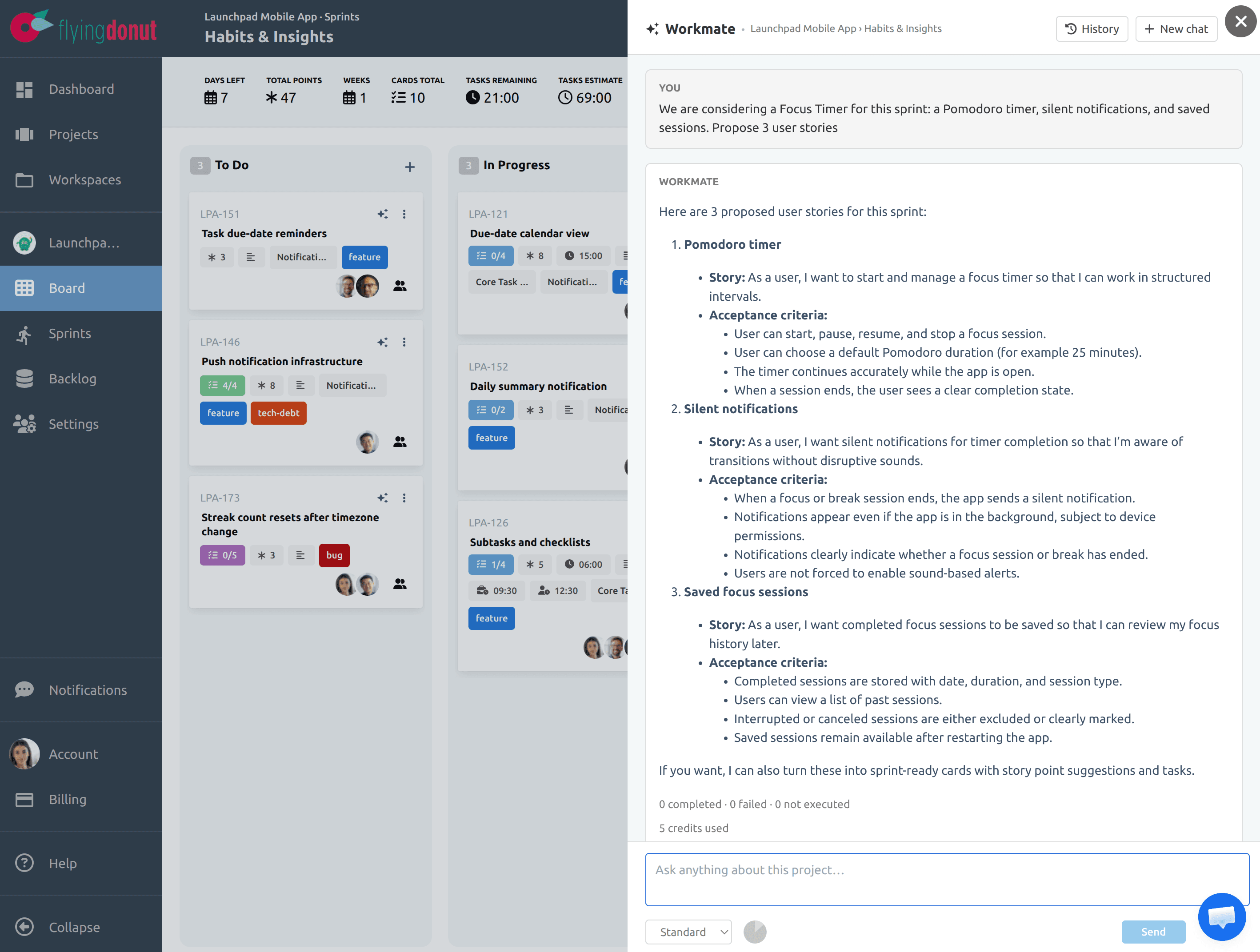
When the plan looks right, ask Workmate to create it. It adds the cards to the current sprint with estimates, confirms every completed action, and can immediately continue with a task breakdown.
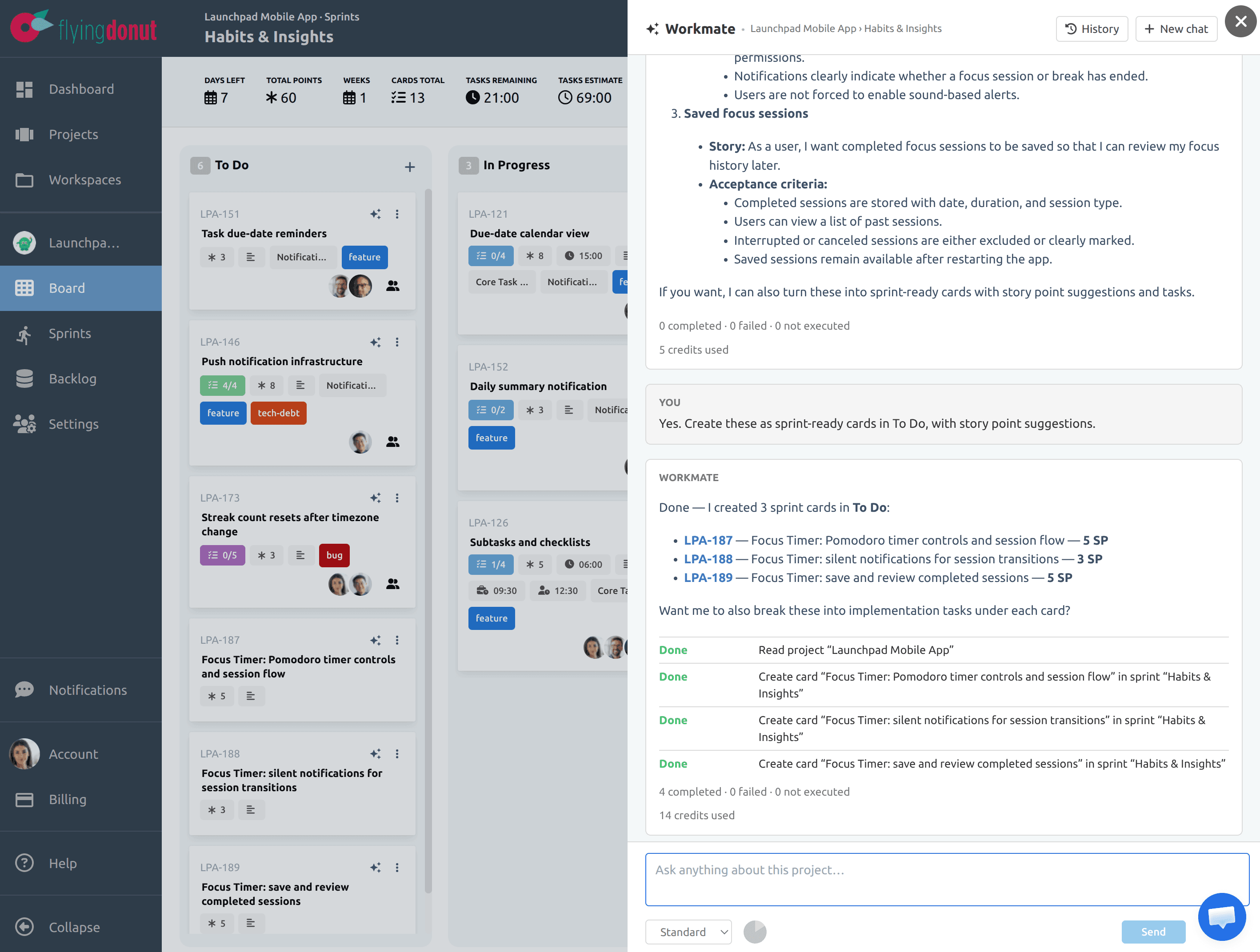
Context-aware, wherever you open it
Open Workmate from a card or a sprint and it knows where you are. “Break this card into tasks”, “what is blocked in this sprint?” and “what is ready to test?” all work without extra explanation. Each place starts with suggested prompts, and your conversations are saved so you can return to them later.
- Card: “Break this card into implementation tasks” or “Add testing and QA tasks”
- Sprint: “Which cards are blocked or have no assignee?” or “What is ready to test?”
- Card: “Assign the timer controls task to its owner”
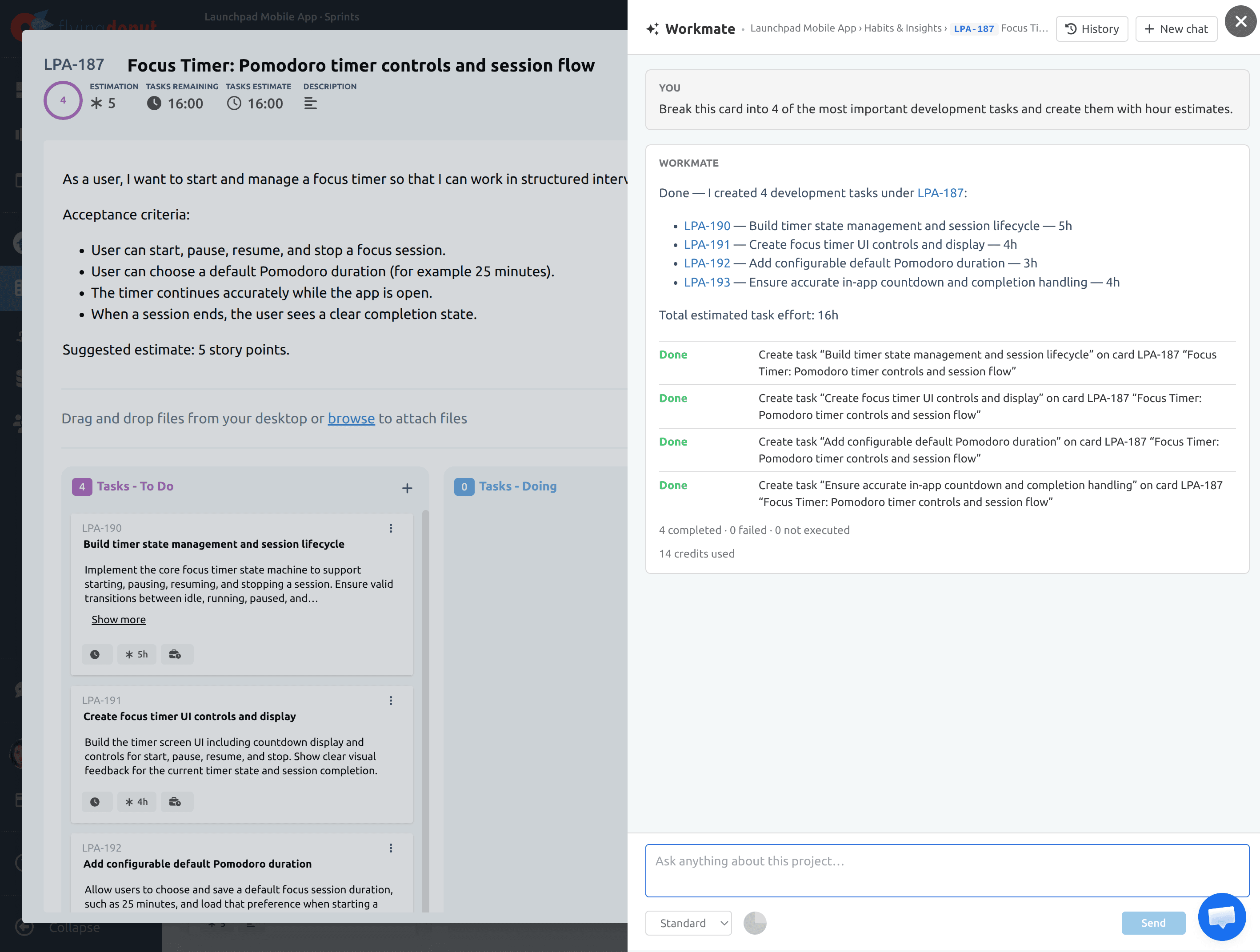
- Sprint: “Give a short summary and chart story points by status”
Reports and charts on demand
Ask for a sprint summary, a list of unassigned work, or a status overview. When a picture helps, Workmate draws it right in the conversation: a pie chart of work by status, a burndown-style trend, a schedule, or a flowchart of dependencies. Every chart is built from your real project data, in your board's colors. If you would rather have a table or a list, just ask.
Agentic, with you in control
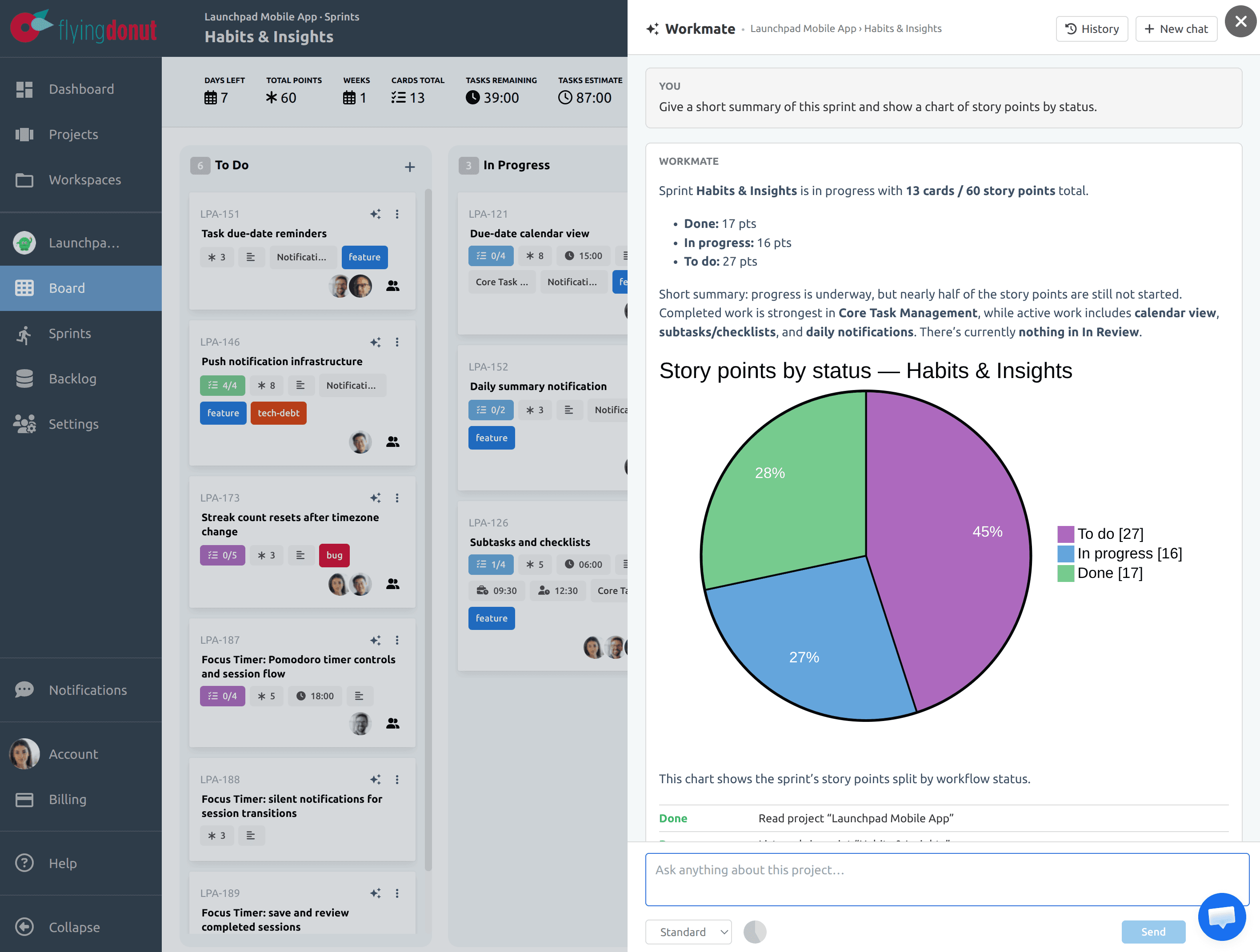
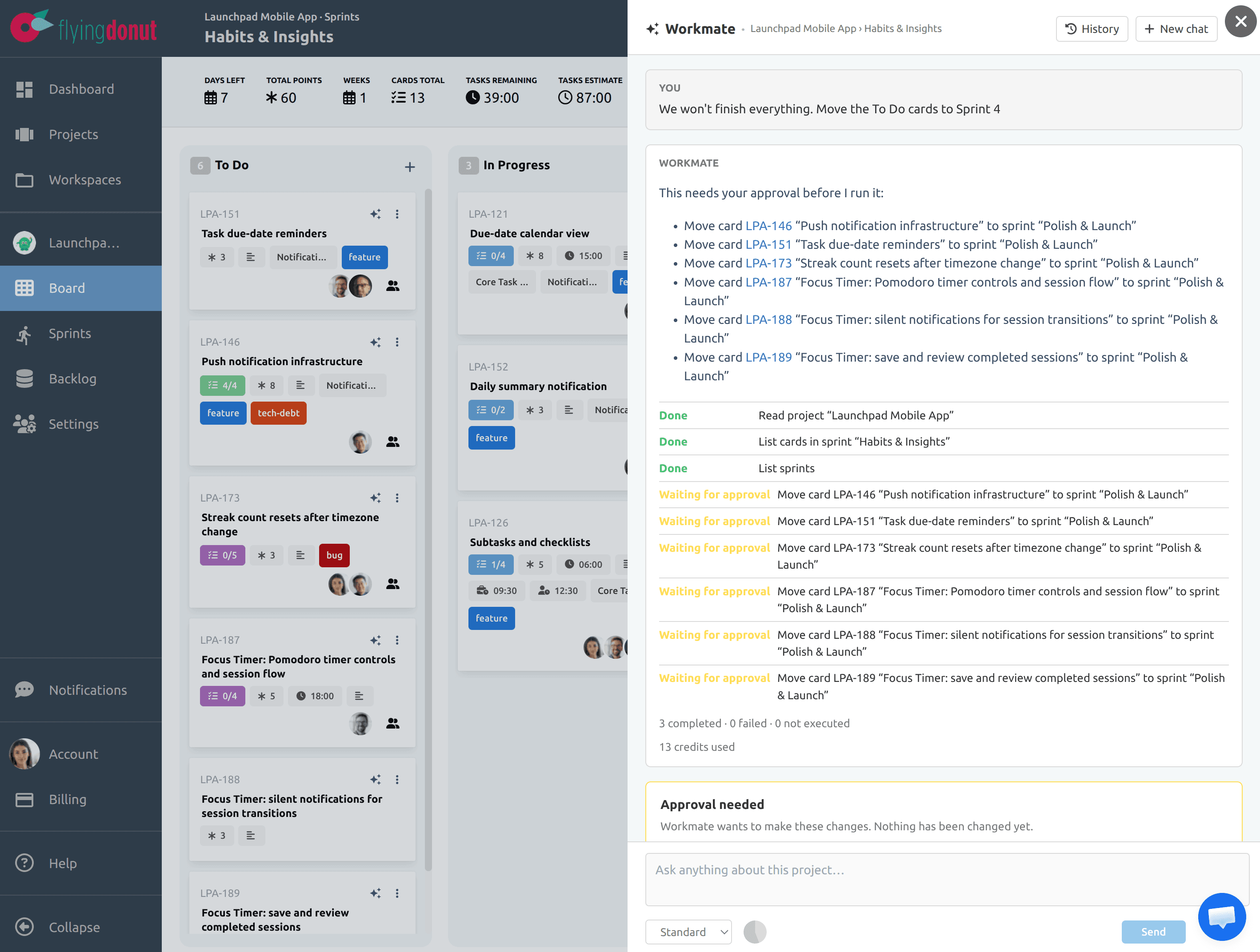
An AI that can change your project has to be trustworthy. Workmate shows each step as it runs, only reports work as done after it has actually been done, and stops to ask before doing anything you would want to double-check.
- Deletes, sprint starts, and bulk changes wait for your approval. You see exactly what will happen before you click Approve and run
- Workmate acts with your own permissions, so it can never do more than you can
- A live activity list shows every lookup and change, marked as done, failed, or not run
- Stop a request at any time. If a request is too large for one run, Workmate tells you what is done and continues when you ask, without repeating finished steps
- Workmate only works on your Flying Donut project and politely declines unrelated requests, which are not charged
Choose your model, see your credits
Choose Economy, Standard, or Premium for each conversation. Use a lighter model for quick lookups and a stronger one for complex planning. Usage is measured in AI credits. Your available balance appears in the panel and each reply shows how many credits it used.
- Credits are charged for the work each request actually does
- Every plan includes monthly AI credits
- Optional AI credit packs add extra capacity during busy planning periods
Give your team an AI agent that helps with real delivery work
Workmate takes your team from a rough idea to a sprint ready to start. It plans, updates, and reports on your project while you keep the final say.